⏱ 4 నిమి చదవండి

స్పారో అనేది **గోప్యత**, **భద్రత** మరియు **పారదర్శకత**పై దృష్టి సారించే ఉచిత, ఓపెన్ సోర్స్ డెస్క్‌టాప్ బిట్‌కాయిన్ వాలెట్. ఇది మీ స్వంత నోడ్‌కి కనెక్ట్ అవ్వడానికి, హార్డ్‌వేర్ వాలెట్‌లను ఉపయోగించడానికి మరియు CoinJoinలో పాల్గొనడానికి మిమ్మల్ని అనుమతిస్తుంది.
మీరు ప్రారంభించడానికి ముందు

  • See exactly what you are signing (UTXO-level detail)
  • Connect to your own Bitcoin node for full verification
  • Built-in support for Whirlpool CoinJoin
  • Works with Ledger, Trezor, Coldcard, BitBox, and more
స్పారో వాలెట్‌ని సెటప్ చేయండి
0 / 5
1
దశ 1 / 5

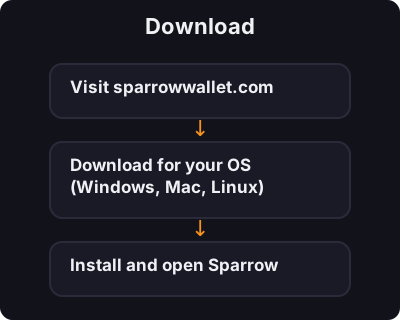
Download

Download
  1. Visit sparrowwallet.com
  2. Download for your OS (Windows, Mac, Linux)
  3. Install and open Sparrow
2
దశ 2 / 5

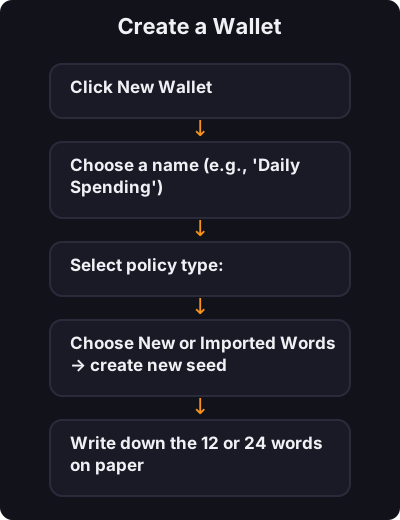
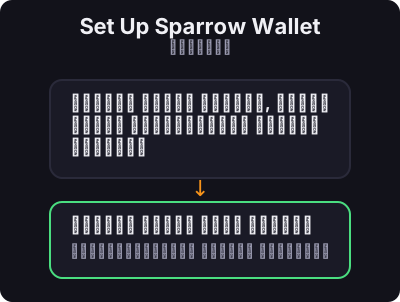
Create a Wallet

Create a Wallet
  1. Click New Wallet
  2. Choose a name (e.g., "Daily Spending")
  3. Select policy type:
    • Single Sig — one seed phrase (beginners start here)
    • Multi Sig — advanced, multiple keys required
  4. Choose New or Imported Words → create new seed
  5. Write down the 12 or 24 words on paper
  6. Set a wallet password
3
దశ 3 / 5

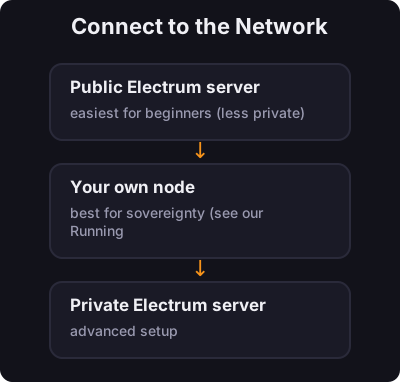
Connect to the Network

Connect to the Network

Sparrow asks how to connect:

  • Public Electrum server — easiest for beginners (less private)
  • Your own node — best for sovereignty (see our Running a Node course)
  • Private Electrum server — advanced setup
4
దశ 4 / 5

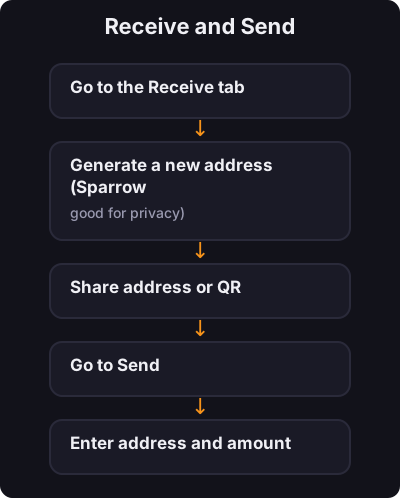
Receive and Send

Receive and Send

Receive:

  1. Go to the Receive tab
  2. Generate a new address (Sparrow encourages fresh addresses — good for privacy)
  3. Share address or QR

Send:

  1. Go to Send
  2. Enter address and amount
  3. Review the transaction details carefully
  4. Confirm
5
దశ 5 / 5

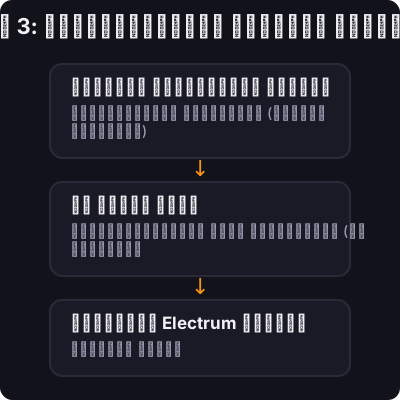
దశ 3: నెట్‌వర్క్‌కు కనెక్ట్ చేయండి

దశ 3: నెట్‌వర్క్‌కు కనెక్ట్ చేయండి

ఎలా కనెక్ట్ చేయాలని స్పారో అడుగుతుంది:

  • పబ్లిక్ ఎలెక్ట్రమ్ సర్వర్ — ప్రారంభకులకు సులభమైనది (తక్కువ ప్రైవేట్)
  • మీ స్వంత నోడ్ — సార్వభౌమాధికారం కోసం ఉత్తమమైనది (మా రన్నింగ్ ఎ నోడ్ కోర్సును చూడండి)
  • ప్రైవేట్ Electrum సర్వర్ — అధునాతన సెటప్

✅ కీ టేకావే

స్పారో అనేది చాలా తీవ్రమైన Bitcoiners డెస్క్‌టాప్‌లో ఉపయోగించే వాలెట్. సింగిల్-సిగ్‌తో ప్రారంభించండి, ఇంటర్‌ఫేస్‌ను నేర్చుకోండి, ఆపై మీరు ముందుకు సాగుతున్నప్పుడు నోడ్ కనెక్షన్ మరియు గోప్యతా సాధనాలను అన్వేషించండి.

← ట్యుటోరియల్స్‌కు తిరిగి వెళ్ళండి