1
Download
- Android: Search "BlueWallet" on Google Play Store
- iPhone: Search "BlueWallet" on the App Store
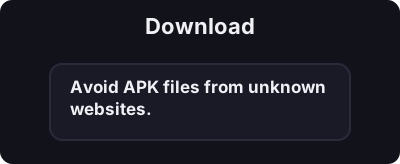
Only download from official app stores. Avoid APK files from unknown websites.
5 நிமிடங்களுக்குள் உங்கள் மொபைலில் உங்கள் முதல் பிட்காயின் வாலட்டை உருவாக்கவும்.
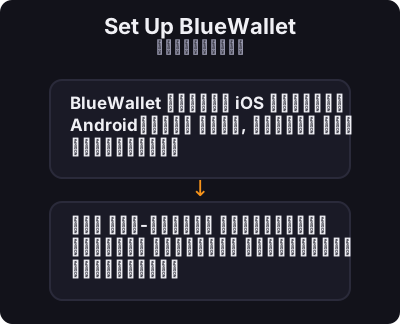
BlueWallet என்பது iOS மற்றும் Androidக்கான இலவச, திறந்த மூல பிட்காயின் பணப்பையாகும். இது ஆன்-செயின் பிட்காயின் மற்றும் லைட்னிங் நெட்வொர்க் இரண்டையும் ஆதரிக்கிறது.
Only download from official app stores. Avoid APK files from unknown websites.
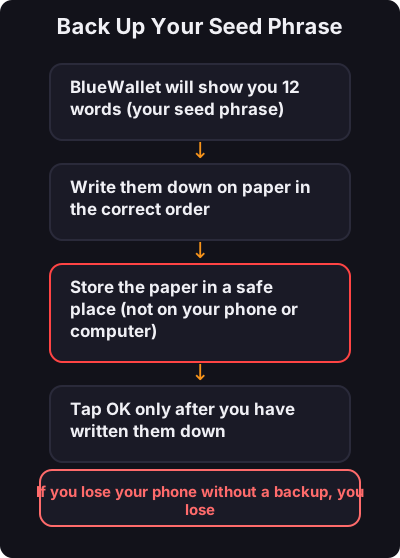
This is the most important step:
- உங்கள் விதை சொற்றொடரை ஒருபோதும் ஸ்கிரீன்ஷாட் செய்ய வேண்டாம் - முதலில் ஒரு சிறிய அளவுடன் சோதிக்கவும் - சிறிய தினசரி கொடுப்பனவுகளுக்கு ஒரு தனி மின்னல் பணப்பையை பரிசீலிக்கவும்