⏱ 4 किमान वाचले

Electrum हे डेस्कटॉप (Windows, Mac, Linux) साठी मोफत, मुक्त-स्रोत बिटकॉइन वॉलेट आहे. हे 2011 पासून सुरू आहे आणि ते जलद, हलके आणि संपूर्ण ब्लॉकचेन डाउनलोड करण्याची आवश्यकता नसल्यामुळे ते ओळखले जाते.

आपण सुरू करण्यापूर्वी

  • People comfortable using a computer (not just a phone)
  • Users who want more control than a simple mobile wallet
  • Anyone preparing for hardware wallet integration later
इलेक्ट्रम वॉलेट सेट करा
0 / 5
1
पायरी 1 / 5

Download

Download
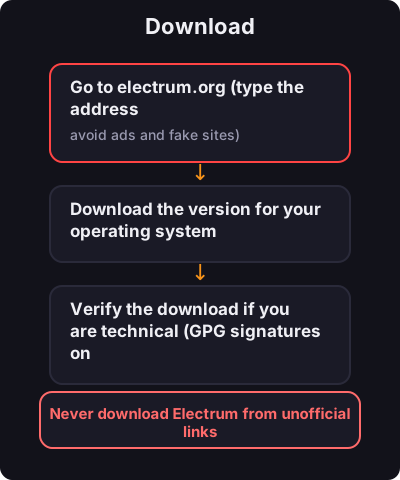
  1. Go to electrum.org (type the address manually — avoid ads and fake sites)
  2. Download the version for your operating system
  3. Verify the download if you are technical (GPG signatures on the site)
2
पायरी 2 / 5

Create a New Wallet

Create a New Wallet
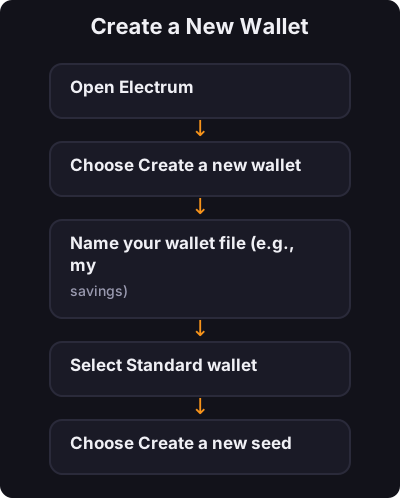
  1. Open Electrum
  2. Choose Create a new wallet
  3. Name your wallet file (e.g., my-savings)
  4. Select Standard wallet
  5. Choose Create a new seed
  6. Select Segwit (recommended for lower fees)
3
पायरी 3 / 5

Back Up Your Seed

Back Up Your Seed

Electrum shows a 12-word seed phrase:
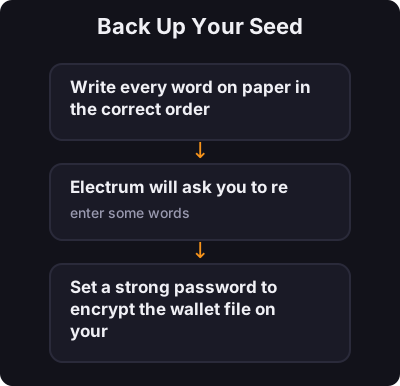
  1. Write every word on paper in the correct order
  2. Electrum will ask you to re-enter some words — this confirms you wrote them down
  3. Set a strong password to encrypt the wallet file on your computer
4
पायरी 4 / 5

Receive Bitcoin

Receive Bitcoin
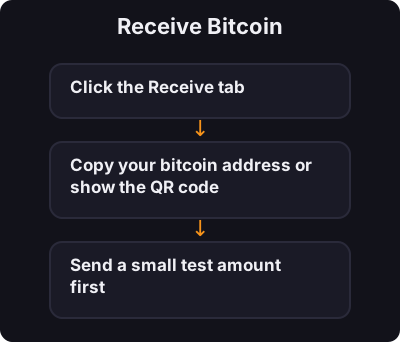
  1. Click the Receive tab
  2. Copy your bitcoin address or show the QR code
  3. Send a small test amount first
5
पायरी 5 / 5

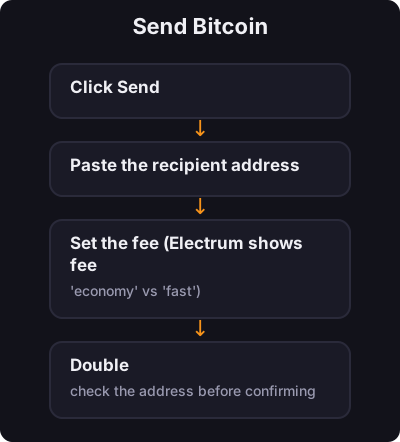
Send Bitcoin

Send Bitcoin
  1. Click Send
  2. Paste the recipient address
  3. Set the fee (Electrum shows fee options — "economy" vs "fast")
  4. Double-check the address before confirming

✅ की टेकअवे

इलेक्ट्रम तुम्हाला सिद्ध ट्रॅक रेकॉर्डसह डेस्कटॉपवर वास्तविक स्व-कस्टडी देते. तुमच्या बियांचा बॅकअप घ्या, मजबूत पासवर्ड वापरा आणि पाठवण्यापूर्वी नेहमी पत्ते सत्यापित करा.

← ट्यूटोरियलकडे परत