⏱ 4 ನಿಮಿಷ ಓದಿದೆ

ಎಲೆಕ್ಟ್ರಮ್ ಡೆಸ್ಕ್‌ಟಾಪ್‌ಗಾಗಿ (ವಿಂಡೋಸ್, ಮ್ಯಾಕ್, ಲಿನಕ್ಸ್) ಉಚಿತ, ತೆರೆದ ಮೂಲ ಬಿಟ್‌ಕಾಯಿನ್ ವ್ಯಾಲೆಟ್ ಆಗಿದೆ. ಇದು 2011 ರಿಂದಲೂ ಇದೆ ಮತ್ತು ವೇಗವಾದ, ಹಗುರವಾದ ಮತ್ತು ಸಂಪೂರ್ಣ ಬ್ಲಾಕ್‌ಚೈನ್ ಅನ್ನು ಡೌನ್‌ಲೋಡ್ ಮಾಡುವ ಅಗತ್ಯವಿಲ್ಲ ಎಂದು ಹೆಸರುವಾಸಿಯಾಗಿದೆ.

ನೀವು ಪ್ರಾರಂಭಿಸುವ ಮೊದಲು

  • People comfortable using a computer (not just a phone)
  • Users who want more control than a simple mobile wallet
  • Anyone preparing for hardware wallet integration later
ಎಲೆಕ್ಟ್ರಮ್ ವಾಲೆಟ್ ಅನ್ನು ಹೊಂದಿಸಿ
0 / 5
1
ಹೆಜ್ಜೆ 1 / 5

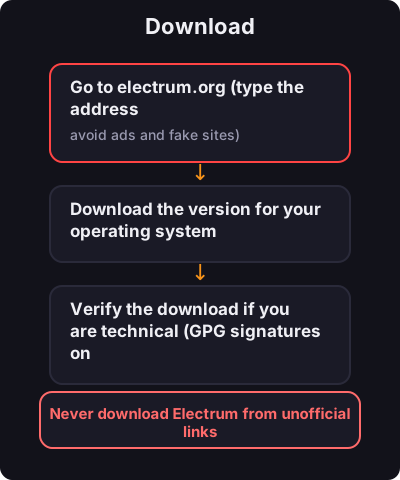
Download

Download
  1. Go to electrum.org (type the address manually — avoid ads and fake sites)
  2. Download the version for your operating system
  3. Verify the download if you are technical (GPG signatures on the site)
2
ಹೆಜ್ಜೆ 2 / 5

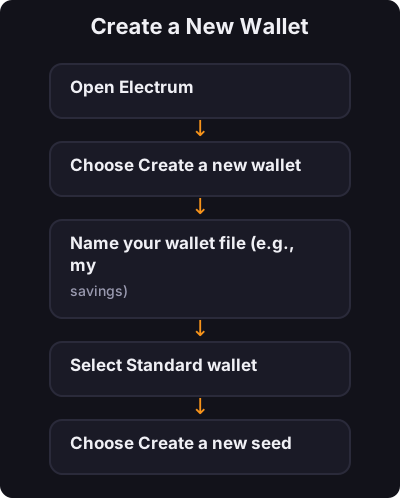
Create a New Wallet

Create a New Wallet
  1. Open Electrum
  2. Choose Create a new wallet
  3. Name your wallet file (e.g., my-savings)
  4. Select Standard wallet
  5. Choose Create a new seed
  6. Select Segwit (recommended for lower fees)
3
ಹೆಜ್ಜೆ 3 / 5

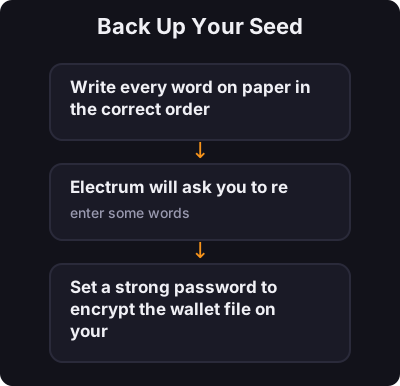
Back Up Your Seed

Back Up Your Seed

Electrum shows a 12-word seed phrase:
  1. Write every word on paper in the correct order
  2. Electrum will ask you to re-enter some words — this confirms you wrote them down
  3. Set a strong password to encrypt the wallet file on your computer
4
ಹೆಜ್ಜೆ 4 / 5

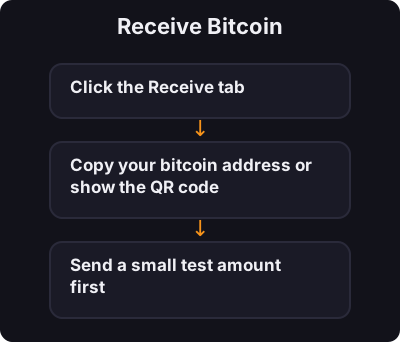
Receive Bitcoin

Receive Bitcoin
  1. Click the Receive tab
  2. Copy your bitcoin address or show the QR code
  3. Send a small test amount first
5
ಹೆಜ್ಜೆ 5 / 5

Send Bitcoin

Send Bitcoin
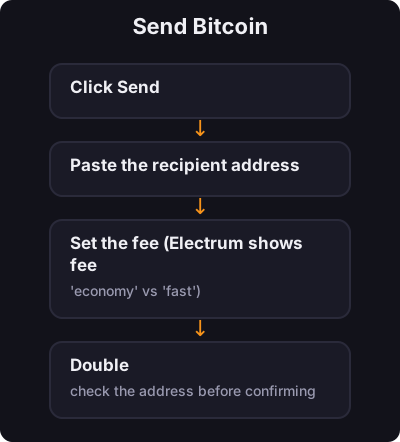
  1. Click Send
  2. Paste the recipient address
  3. Set the fee (Electrum shows fee options — "economy" vs "fast")
  4. Double-check the address before confirming

✅ ಕೀ ಟೇಕ್ಅವೇ

ಸಾಬೀತಾದ ದಾಖಲೆಯೊಂದಿಗೆ ಡೆಸ್ಕ್‌ಟಾಪ್‌ನಲ್ಲಿ ಎಲೆಕ್ಟ್ರಮ್ ನಿಮಗೆ ನಿಜವಾದ ಸ್ವಯಂ-ಪಾಲನೆಯನ್ನು ನೀಡುತ್ತದೆ. ನಿಮ್ಮ ಬೀಜವನ್ನು ಬ್ಯಾಕಪ್ ಮಾಡಿ, ಬಲವಾದ ಪಾಸ್‌ವರ್ಡ್ ಬಳಸಿ ಮತ್ತು ಕಳುಹಿಸುವ ಮೊದಲು ವಿಳಾಸಗಳನ್ನು ಯಾವಾಗಲೂ ಪರಿಶೀಲಿಸಿ.

← ಟ್ಯುಟೋರಿಯಲ್‌ಗೆ ಹಿಂತಿರುಗಿ