⏱ 4 મિનિટ વાંચો

સ્પેરો એ **ગોપનીયતા**, **સુરક્ષા** અને **પારદર્શિતા** પર ધ્યાન કેન્દ્રિત કરેલું મફત, ઓપન સોર્સ ડેસ્કટોપ બિટકોઈન વૉલેટ છે. તે તમને તમારા પોતાના નોડ સાથે કનેક્ટ કરવા, હાર્ડવેર વોલેટ્સનો ઉપયોગ કરવા અને CoinJoin માં ભાગ લેવા દે છે.
તમે શરૂ કરો તે પહેલાં

  • See exactly what you are signing (UTXO-level detail)
  • Connect to your own Bitcoin node for full verification
  • Built-in support for Whirlpool CoinJoin
  • Works with Ledger, Trezor, Coldcard, BitBox, and more
સ્પેરો વૉલેટ સેટ કરો
0 / 5
1
પગલું 1 / 5

Download

Download
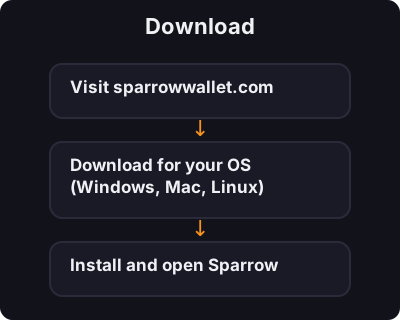
  1. Visit sparrowwallet.com
  2. Download for your OS (Windows, Mac, Linux)
  3. Install and open Sparrow
2
પગલું 2 / 5

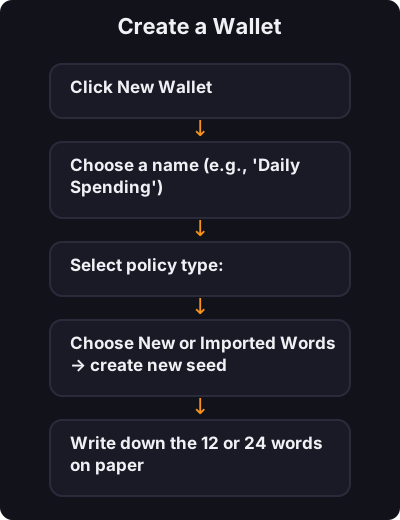
Create a Wallet

Create a Wallet
  1. Click New Wallet
  2. Choose a name (e.g., "Daily Spending")
  3. Select policy type:
    • Single Sig — one seed phrase (beginners start here)
    • Multi Sig — advanced, multiple keys required
  4. Choose New or Imported Words → create new seed
  5. Write down the 12 or 24 words on paper
  6. Set a wallet password
3
પગલું 3 / 5

Connect to the Network

Connect to the Network

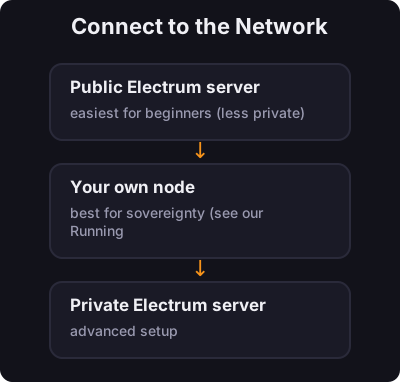
Sparrow asks how to connect:

  • Public Electrum server — easiest for beginners (less private)
  • Your own node — best for sovereignty (see our Running a Node course)
  • Private Electrum server — advanced setup
4
પગલું 4 / 5

Receive and Send

Receive and Send

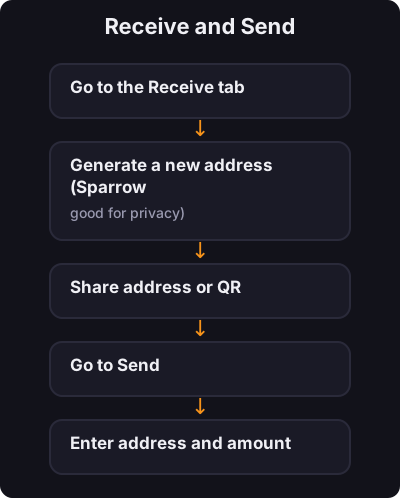
Receive:

  1. Go to the Receive tab
  2. Generate a new address (Sparrow encourages fresh addresses — good for privacy)
  3. Share address or QR

Send:

  1. Go to Send
  2. Enter address and amount
  3. Review the transaction details carefully
  4. Confirm
5
પગલું 5 / 5

પગલું 3: નેટવર્કથી કનેક્ટ કરો

પગલું 3: નેટવર્કથી કનેક્ટ કરો

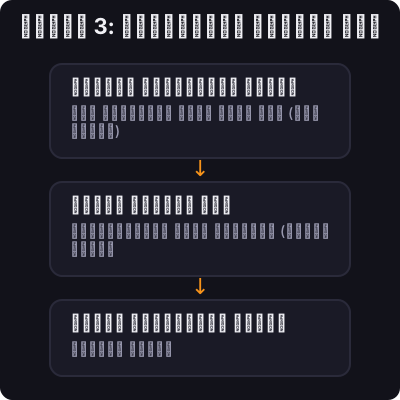
સ્પેરો પૂછે છે કે કેવી રીતે કનેક્ટ કરવું:

  • પબ્લિક ઈલેક્ટ્રમ સર્વર — નવા નિશાળીયા માટે સૌથી સરળ (ઓછી ખાનગી)
  • તમારો પોતાનો નોડ — સાર્વભૌમત્વ માટે શ્રેષ્ઠ (અમારો રનિંગ એ નોડ કોર્સ જુઓ)
  • ખાનગી ઈલેક્ટ્રમ સર્વર — અદ્યતન સેટઅપ

✅ કી ટેકઅવે

સ્પેરો એ વોલેટ છે જે ઘણા ગંભીર બિટકોઈનર્સ ડેસ્કટોપ પર વાપરે છે. સિંગલ-સિગથી પ્રારંભ કરો, ઇન્ટરફેસ શીખો, પછી જેમ જેમ તમે આગળ વધો તેમ નોડ કનેક્શન અને ગોપનીયતા સાધનોનું અન્વેષણ કરો.

← ટ્યુટોરિયલ પર પાછા